

Home › Products › EFA CAMverse
New DXF export for depaneling, design and documentation → New Series “EFA CAMverse compact” – one feature every Tuesday → PCB & CAM data viewer for WindowsEFA CAMverse 9 PCB/CAM formats.
One view.
EFA CAMverse opens Gerber X3, EAGLE, ODB++, IPC-2581, GenCAD, IPC-D-356, DXF, PADS and KiCad in a single native Windows tool – layers, stackup, drills, components and netlists at a glance, in 2D and 3D.






What would you like to do? ..


One viewer for every PCB/CAM format ..
Open and view Gerber, ODB++, IPC-2581, KiCad and 5 more formats – from design to manufacturing inspection. EFA CAMverse reads each format natively, with no conversion and no cloud. Click a format for all the details.
Gerber X/X2/X3
.gbr / .ger – RS-274X & Excellon drill data, incl. .gbrjob
Learn more →EAGLE
Open .brd & .sch files natively – no import
Learn more →ODB++
View layers, nets & stackup
Learn more →IPC-2581
Open industry standard (DPMX)
Learn more →GenCAD 1.4
Assembly data – import & export
Learn more →IPC-D-356
Bare-board netlist & test data
Learn more →DXF
.dxf – mechanical & assembly (AutoCAD), import & export
Learn more →PADS Layout
View .asc natively (Siemens/Mentor)
Learn more →KiCad
Open .kicad_pcb & .kicad_pro
Learn more →All the data for your quotation – straight from the manufacturing data ..
Get the bill of materials, component attributes and placement positions from your customer’s CAM data in a few clicks – for costing, purchasing and quotation.
- Bill of materials with ordering data: MPN, manufacturer, supplier and supplier part number, customer and internal part number (CPN/IPN) and description.
- Every attribute, no preselection: each component attribute of the source data – physical and commercial properties such as tolerance, height, RoHS status, price or datasheet – is exported as a column of its own.
- Grouped the way you calculate: by order number, by value and package, or one line per component – for panels per single board or for the whole panel.
- Placement positions: X, Y, rotation and side per component as a list of its own.
- Ready for further processing: as CSV or Excel – with a frozen header row and filter.
Prerequisite: the information has to be contained in the source data – e.g. as component attributes in ODB++, IPC-2581, Gerber X3, EAGLE, KiCad, PADS or GenCAD. Whatever is there, EFA CAMverse exports completely.
All about BoM & quotation →| Qty | RefDes | Value | Package | MPN | Manufacturer |
|---|---|---|---|---|---|
| 12 | C1, C3, C7 … | 100n | 0402 | GRM155R71C104KA88D | Murata |
| 8 | R4, R5, R9 … | 10k | 0603 | RC0603FR-0710KL | Yageo |
| 2 | D1, D2 | BAT54S | SOT-23 | BAT54S,215 | Nexperia |
| 1 | U3 | SAMD21G18 | QFN-48 | ATSAMD21G18A-MU | Microchip |
+ every other attribute of the source data as a column of its own, e.g. tolerance, height, RoHS, datasheet …
From customer data to assembly plan ..
Add coordinates to Gerber data, create the assembly drawing for the right variant and check the board in 3D – three steps in one tool.
Gerber X/X2 + coordinates = Gerber X3 (assembly).
Everyday EMS reality: the customer delivers classic Gerber data without component information – plus some pick & place file. EFA CAMverse merges both and adds the complete component layer you otherwise only get from Gerber X3.
- Load the coordinate file – done: EFA CAMverse automatically turns Gerber and coordinates into complete components.
- No reformatting required: You load the list as your customer sends it, be it from Altium, KiCad, EAGLE, … Should the automatic import ever fail, you adjust it in a dialog.
- Traceable, not a black box: after every run a report shows which components were assigned reliably and which were not. If one sits wrong, you move it with 2 clicks in the image.
- Just like real X3 from now on: assembly views, variants, bill of materials and 3D are available, as if the data set had always known its components. The verified coordinates go out as CSV or Excel – for machine programming or straight back to your customer.
Gerber X/X2.gbr
Layers, pads, drills – no component info
Coordinates.csv / .txt / .xlsx
Pick & place file from your CAD
 Gerber X3 (for assembly)
Generate the assembly drawing yourself – exactly as production needs it.
EFA CAMverse does not display a supplied assembly drawing – it draws one from the data itself, component by component. That is precisely why your customer's variant can really be reproduced: whatever is not populated never appears in the first place.
- Variant handling: deselect and reselect components with one click – deselected parts disappear completely, along with body, pads and labelling. The delivered full population becomes the customer's variant, in 2D as well as 3D.
- Labels your way: every component is labelled automatically – with reference, value, package or part number, for all components or per component type. Move and rotate individual labels by hand; hide test points, fiducials or entire groups by name pattern.
- Colours to your specification: board surface, edge, body, pads, pin-1 marker and labelling each have their own colour – pads, pin-1 and labelling can also be switched off entirely.
The board in 3D – interactive and realistic.
One click switches from the layer view to a spatial representation: board, surfaces and components as a real 3D model – rotate and zoom freely.
- Realistically extruded board: substrate, solder mask and surfaces just like the finished product.
- Components as 3D bodies: for a realistic impression of the assembled board.
- Assign models: conveniently, with search and 3D preview in the assignment dialog.
- Rotate and zoom freely: components hidden by the variant disappear live in 3D too.

Pass the data on – all the way to inspection ..
As DXF to depaneling and mechanical design, as GenCAD 1.4 to test and pick-and-place – and with EFA SmartSuite straight into automated inspection.
A clean DXF file from every format.
Whether Gerber, ODB++, KiCad or any of the other formats: EFA CAMverse passes your data on as DXF – with ready-made settings for each purpose.
- Depaneling: outline, milling channels, tabs and drill holes for your depaneling software – as closed contours with true arcs.
- Design: outline, drill holes, fiducials and component outlines for your CAD program – for a fixture or housing, for instance.
- Documentation: all board layers as a drawing – copper, silkscreen, solder mask and solder paste.
9 formats
DXF.dxf
- Depanelingdepaneling software
- DesignCAD program: fixture, housing
- Documentationdrawing with all board layers
GenCAD – the language of your production machines.
In-circuit testers, flying probe and AOI systems or placement machines often expect GenCAD for programming. EFA CAMverse creates the file from 7 of the 9 formats – real conversion, not just viewing.
- From 7 formats: Gerber (also with coordinate data), ODB++, IPC-2581, EAGLE, KiCad, PADS – and GenCAD itself, to prepare an existing file – as GenCAD 1.4 with outline, components, pads, drill holes and, where available, nets.
- For test and production: the basis for programming in-circuit testers, flying probe and AOI systems as well as placement machines.
- Only what gets built: optionally with only the components of the customer variant.
- Key to EFA SmartSuite: your data becomes fully set-up EFA projects – from CAM data straight to inspection.
GenCAD 1.4.cad
Programming of …
- In-circuit testertest program
- Flying probe & AOItest program
- Placement machineplacement program
- EFA SmartSuitefully set-up projects
From CAM data straight to inspection.
Together with EFA SmartSuite, EFA CAMverse creates fully set-up EFA projects – no manual import of a coordinate file, bill of materials or assembly drawings.
See. Verify. Manufacture ..
One consistent feature set across every format – instead of a different tool for each one.

Layers & stackup
Toggle every layer, control transparency and read the full material build-up in the stackup pane.
3D view
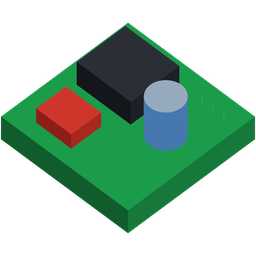
View the board in space – with components as 3D bodies, rotate and zoom freely.

Drills & nets
Drill tables, netlist pane and bidirectional highlight – double-click to zoom to a net.
Assembly & variants
Flexibly create assembly views – show or hide components to match the customer's variant with one click, with freely selectable labeling.

Gerber X/X2 + coordinates = X3
Add external coordinate data to classic Gerber files – EFA CAMverse merges both into Gerber X3 (for assembly).

Export & manufacture
Export for manufacturing: images as PDF, PNG or JPG, coordinates and BoM as CSV or Excel.
Measure & inspect
Precise distance and geometry measurement – with bounding rectangle and centre of each component.

Convert formats: GenCAD & DXF
Pass on imported data as GenCAD 1.4 or DXF – real conversion, not just viewing.

Offline & native
A native Windows application – no cloud, no upload. Your manufacturing data stays local.
9 PCB/CAM formats. One application. One workflow ..
One familiar way of working for every format: learn it once, then handle Gerber, ODB++, KiCad and 6 more formats the same way – all in a single application.
- One way of working for everythingLearn it once, then operate every format identically: layers, stackup, measuring and export work the same everywhere.
- Native, no detoursOpen any format with no intermediate conversion and start working right away – no export-import back-and-forth between programs.
- Formats side by sideOpen different formats of the same project in one interface and view them together.
- One job, one fileProjects store your complete working state – layers, colours, variant and coordinates; the source data can travel along.
- A bridge between formatsRead all 9 PCB/CAM formats, pass them on as DXF and generate GenCAD 1.4 from 7 of them – EFA CAMverse connects what otherwise stays separate.
- One install, one updateMaintain one application instead of many separate tools – one update, one point of contact, all local.
What one tool gives you
One feature every Tuesday ..
EFA CAMverse compact – short and practical, on LinkedIn and here with video (in German). The series at a glance:
Gerber + coordinates = Gerber X3
Tue, 29 September 2026 02Create the assembly plan from the BOM
Tue, 6 October 2026 New03The assembly plan in detail: labels and layers
Tue, 13 October 2026Seeing through in 3D and all layers
from Tue, 20 October 2026From ODB++ straight to the shopping list
from Tue, 27 October 2026DXF export from every format
from Tue, 3 November 2026Ready for the seamless CAM workflow? ..
EFA CAMverse is free to use as a viewer – unlock advanced features whenever you need them. Native on Windows, your data stays local.
As EFA CAMverse has only just been released, Windows still shows a SmartScreen security prompt on first launch (“Windows protected your PC”). This is normal – the app is signed with an EV certificate and is safe. To run it: